korean native ip ladders usually refer to proxy or vpn services that provide korean exit nodes and assign real korean public addresses to users. unlike shared or virtual addresses, native ips are more easily recognized by target services as real traffic "from south korea" and are suitable for scenarios where you need to access korean-limited streaming media, domestic services, game servers, or conduct regional testing.
1) watch korean-only movies or live broadcasts; 2) test korean localization services or advertising overseas; 3) connect with korean corporate/educational resources for remote work or academic visits. when using, please pay attention to comply with the terms of use of the target service and local laws.
when choosing a supplier, it is recommended to make a comprehensive evaluation from three aspects: security, ip type and service quality, and give priority to brands with transparent privacy policies and good reputations.

(1) ip type: confirm whether it is a real native ip (public korean ip) rather than a simple virtual or cdn mapping; (2) privacy and log policy: choose a service that clearly "does not keep connection logs" or "minimum logs"; (3) network quality: check the speed test, bandwidth limit, number of concurrent connections, and latency performance; (4) protocols and functions: supports modern protocols such as wireguard/openvpn, and includes kill switch, dns leak protection and other functions; (5) customer service and payment: whether it supports multiple payment methods and chinese customer service, and whether it provides trial or refund guarantee.
don't just rely on the "korean node" promotion to choose. it is recommended to try it out first and use independent testing tools to determine the ip ownership and stability. for commercial or high-risk usage scenarios, consider renting an independent static ip or a dedicated tunnel.
the configuration process is divided into three parts: client selection, protocol settings, and security reinforcement. the following are high-level configuration recommendations and avoid providing detailed steps that could be used to circumvent enforcement measures.
1) choose an official client or a widely recognized third-party application, giving priority to the version that supports the latest encryption protocol; 2) select a server node with a "korea" label in the client and suitable latency and bandwidth; 3) enable kill switch and dns leak protection to prevent disconnection from exposing the real ip; 4) in a multi-device scenario, consider deploying it on a router to achieve full network penetration, otherwise install the client on a device-by-device basis.
if you encounter a speed bottleneck, you can try switching protocols (such as switching from tcp to udp or wireguard) or choose a geographically closer korean node. for commercial applications, it is recommended to use dedicated lines or paid bandwidth to improve stability.
during verification, public ip geolocation and leak detection tools should be used to confirm whether the export ip and dns resolution show south korea. the following are compliance testing methods.
1) ip geolocation: check the displayed country and city information through multiple trusted ip query services; 2) dns and webrtc leak detection: ensure that dns requests and browser webrtc do not leak local ip or isp information; 3) speed and routing detection: conduct download/latency tests to confirm that the connection is stable and the delay is within an acceptable range.
geolocation updates in different databases sometimes lag behind. if the detection results are inconsistent, you can contact the service provider's customer service and ask for proof of ip ownership or change the ip segment.
when using any circumvention or proxy tool, you must first comply with local laws and the terms of use of the target service platform, and avoid using it for illegal activities such as infringement, fraud, or payment avoidance.
1) compliance use: only use for legitimate purposes as permitted by law (such as watching legally authorized content, working remotely); 2) privacy protection: turn on two-factor authentication, regularly update the client and avoid transmitting sensitive information on untrusted networks; 3) account security: change passwords frequently, be careful about remote login prompts, and avoid account bans caused by platform risk control triggered by multiple logins; 4) backup and support: save the service provider's contact information and refund policy, and communicate with customer service first when encountering service problems.
some streaming media or gaming platforms will impose restrictions on accounts that use proxies. enterprises or commercial usage scenarios should evaluate potential terminal bans or legal risks, and seek professional legal advice if necessary.
- Latest articles
- How To Save Money On Singapore VPS Vouchers Through Events And Promotions
- In Marketing And Data Scraping Scenarios, What Is The Most Appropriate Analysis Of Korean Native IP Proxies?
- Procurement References Korean Server Names, Quickly Filtering Brands From Supplier Catalogs
- Technical Implementation Detailed Steps For Binding And Routing Taiwan's Native Static Residential IPs
- Vietnam VPS Independent Server Long-term Maintenance Costs And Recommended Automated Operation And Maintenance Tools
- Optimization Suggestion: Storage Archiving And Resource Management Solution Under US VPS For Unlimited Content
- How To Purchase Gouyun Servers In Vietnam And Complete The Fast Launch Process
- How Is Japan's CN2 From An Operations And Maintenance Perspective? Recommendations For Handling Node And Routing Faults
- Hong Kong Cheap VPS Speed Review: Actual Bandwidth Peak And Stability Report
- Key Points Regarding Security Qualifications And Contract Terms For Companies That Can Choose Taiwanese Cloud Servers
- Popular tags
-
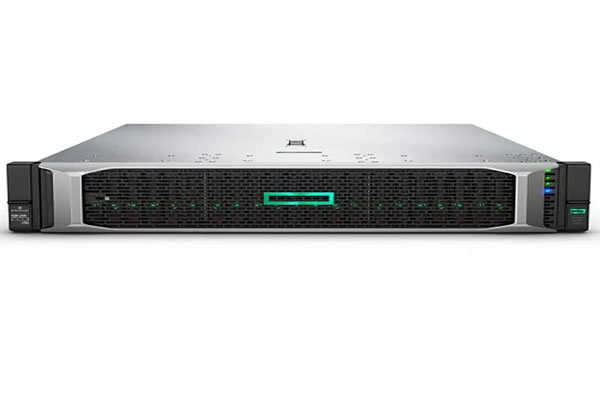
Understand The Configuration And Performance Analysis Of Korean Station Group Servers
this article will provide an in-depth analysis of the configuration and performance analysis of korean website cluster servers to help users understand how to choose the appropriate server and improve the optimization effect of the website. -

Seo Practical Skills Using Korean Station Group Vps Server To Improve Local Inclusion And Access Speed
this article introduces practical skills for deploying site groups using korean node vps, including how to select computer rooms, ip strategies, cdn and cache configurations, collection and pseudo-static settings to help improve local collection and access speeds. -

An Analysis Of The Liability In The Aftermath Of The Attack On The South Korean NPC Servers From A Legal And Compliance Perspective
From legal and compliance perspectives, five key questions are raised and answered regarding the attribution of responsibility following the hacking of the South Korean NPC servers. The analysis examines the division of criminal, civil, and compliance responsibilities, as well as key aspects of cross-border law enforcement and corporate governance.